OTHER PROJECTS

Building a geopolitical AI tool with custom agents
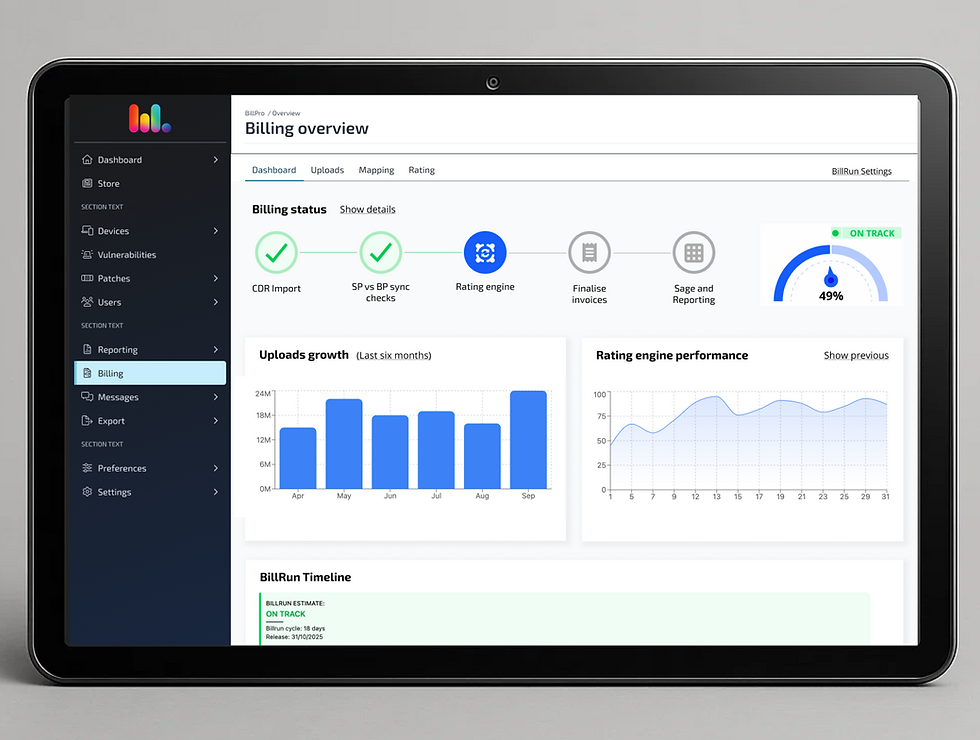
Turning billing complexity into a dynamic dashboard
•COMPLEX WORKFLOW •ONBOARDING •USER GROWTH
Re-imagining the
onboarding workflow
to drive growth
INTRODUCTION
Vantage is a cutting-edge intelligence platform designed to empower researchers and analysts with data-driven decision-making capabilities. This innovative tool seamlessly integrates advanced data processing and machine learning technologies to transform vast amounts of unstructured data into actionable insights.
Role
Sole Senior Product Designer
Timeline
November 2022- April 2023
Tools
Figma,FigJam, Jira,
UserTesting

PROBLEM STATEMENT
Vantage is an intelligence platform that helps researchers and analysts turn large volumes of unstructured data into actionable insights. While the platform offered powerful capabilities and generated strong interest during sales demos, engagement dropped sharply after onboarding. Users logged in infrequently, sessions were short, and trial-to-contract conversion was low.
MY ROLE
As the sole product designer, I took ownership of the entire UX effort to address user drop-off. I initiated the research, mapped our user workflows (with and independent of our product), redesigned some of the interactions, re-wrote most of the copy and collaborated closely with Customer Success and Engineering to ensure alignment with user needs and technical feasibility.
STARTING POINT
In a classic startup style we had minimal product analytics in place so I had to get creative.I started by leaning on our customer success team, building those valuable strong relationships. Together, we analysed frequently asked questions and support tickets (from Hubspot) to uncover recurring pain points and gaps in the product experience.
Alongside this, I studied the full range of workflows and scenarios by observing our internal analysts as they worked through real projects using our platform. This helped me build a deeper understanding of a highly complex domain and map how both new and returning users moved through the app.
To broaden the perspective further, I interviewed stakeholders, product managers, and subject matter experts who worked outside the product using different tools. This allowed me to identify workflows and needs from a tool agnostic viewpoint, rather than being constrained by existing product limitations.

.png)
DISCOVERY
A clear pattern quickly emerged. While the product looked polished, it offered very little sense of direction. There was an underlying assumption that users would intuitively find the tools they needed. In reality, users felt lost, confused, and unsure of what to do next. I mapped real user scenarios internally, documenting every dead end and workaround encountered as users tried to complete tasks.
This process helped us:
• Identify our core user types
• Understand the steps each user type took to extract insights
• Pinpoint key UI components that required redesign
This discovery phase reframed the problem from a usability issue to a guidance and clarity challenge, setting a strong foundation for the design work that followed.


IMPROVING WORKFLOW
With the problem clearly defined, I partnered closely with product and engineering to align on a direction that balanced user clarity, technical constraints, and delivery timelines. Rather than pursuing a full redesign, we focused on high impact improvements that introduced structure and guidance without disrupting existing workflows.
I established a set of design principles centered on progressive disclosure, clear entry points, and explicit next steps. These principles shaped every decision that followed and helped ensure the solution reduced friction while remaining flexible for different user needs.
Creating clarity and momentum within the workflow
I introduced a series of structural and interaction level improvements to help users understand where they were, what they could do next, and how to move through the product with confidence.
• Introduced a platform landing page that gave users a consistent place to return to and restart their journey from a different point of view. The page was intentionally minimal, surfacing only what users needed to re orient themselves and choose their next action.
• Redesigned the sidebar to act as a workflow guide, placing the find feature at the top and the workspace at the bottom to reflect how users naturally start and progress through a project.
• Improved how search results were displayed by introducing a side drawer, allowing users to explore deeper details without losing context or their place in the workflow.
• Added incremental visual cues to help users understand when results were available and when deeper levels of detail could be explored, supporting both quick scanning and more focused investigation.
• Strengthened visual cues around actions and options across the interface, reducing cognitive load and making it clearer where decisions were required versus optional.
Together, these changes gave the platform a stronger sense of structure and flow. Users could move through complex tasks without feeling lost, pause to explore details when needed, and always understand how to continue or reset their journey.


INTRODUCING ONBOARDING
At the time, the platform had no dedicated onboarding. New users were expected to learn the product through sales led walkthroughs, documentation, and ongoing support from customer success teams. This created a heavy manual burden for internal teams and a fragmented first experience for users, particularly given the complexity of the platform and the range of different user needs it supported.
Our goal for the first onboarding iteration was to reduce reliance on manual training and support by providing users with a guided, self serve introduction to the product. We focused on helping users understand core capabilities early, take meaningful first actions, and reach value faster without overwhelming them.
Before designing solutions, I reviewed onboarding patterns from comparable data heavy SaaS platforms to understand how they successfully introduce complex functionality while keeping cognitive load low. Based on this research, we prioritised guidance that was contextual, progressive, and tailored to the user rather than a one size fits all walkthrough.
ONBOARDING APPROACH
We knew that traditional ways to onboarding were broken. Most of the times users ignored tooltips and case study videos were under-utilised. We decided to get creative and introduced a project based onboarding flow that guided users through the platform using call out boxes and contextual guidance. This approach allowed us to introduce key capabilities in context, explaining not just what features existed, but how and when to use them.
Guided call out boxes
• Implemented a guided project flow using call out boxes to surface core functionality and orient users as they moved through the product for the first time.
Empty states
• Introduced empty states with clear calls to action, ensuring users always understood how to populate sections when no data was present and what steps were required to move forward.
Personalisation
• Added light personalisation at the start of the experience by asking users a small number of questions to understand their goals. This allowed the platform to tailor initial results and surface only the most relevant information and capabilities.
Progressive disclosure
• Designed onboarding to support multiple user types and distinct needs by progressively revealing contextual guidance, rather than exposing all functionality upfront.
This first iteration established onboarding as part of the product experience rather than an external process. It gave users a clearer starting point, reduced early confusion, and helped internal teams spend less time answering repetitive questions and more time supporting higher value use cases.


BUSINESS IMPACT
This work took thoughtful design and meaningful engineering effort, but the results spoke for themselves:
-
Nearly 50% increase in stickiness (return usage)
-
Users started giving feedback on specific features, a strong sign of deeper engagement
Unexpected bonus: The structured workflow made it easier for our sales team to demo the platform, improving pitch efficiency and consistency.


LEARNINGS
This project reinforced the value of collaboration with customer-facing teams and the importance of designing with context. Contrary to what was believed I found out that giving users structure doesn't restrict them it empowers them, especially when it is following a similar method to what they are already use it.
I also learned that small interface tweaks (like clear tooltips or CTA buttons) can dramatically reduce cognitive load and increase user confidence. It also taught me that previous assumptions such as “users will find their way” are dangerous in complex products.
Real value comes from designing pathways that mirror how users think and work.